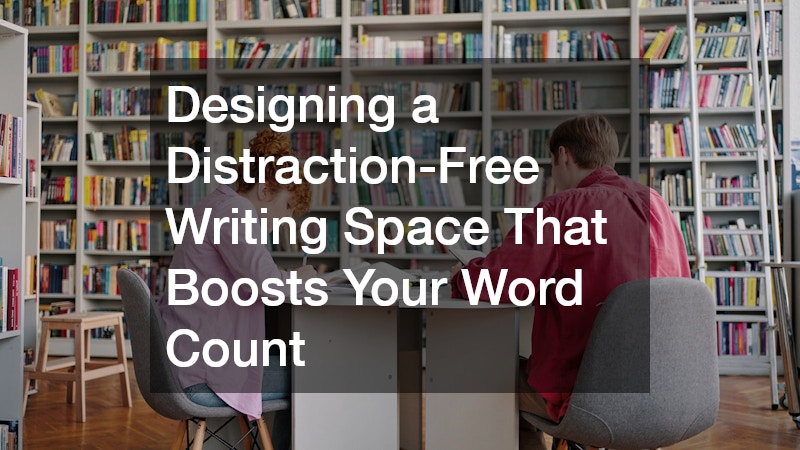
You know the feeling: you sit down to write, open your laptop, and somehow forty-five minutes disappear before you type a single sentence. The truth is that most writing slumps aren’t a motivation problem, they’re an environment problem. A room that’s cluttered, poorly lit, or wired wrong will quietly sabotage your focus no matter how disciplined you think you are. This guide walks through the practical, physical changes you can make to your writing space so your word count reflects the effort you’re actually putting in.
Choose a Desk That Matches How You Actually Write

The desk is the anchor of any writing space, and picking the wrong one can create friction before you even open your document. If you sprawl out notes, reference books, or a second monitor, you need real surface area—think at least 48 inches wide—so your research doesn’t end up stacked on the floor. If you write purely on a laptop, a compact footprint in the 30-inch range might serve you better and free up room elsewhere for a reading chair or a filing cabinet.
Height matters too, since a desk that forces you to hunch or reach will tire your body long before your brain runs out of ideas. Standard desks sit around 29 to 30 inches high, which works for most people between 5’8″ and 6’0″, but shorter or taller writers may need an adjustable model or a footrest to keep wrists level with the keyboard. A sit-stand desk is worth considering if you tend to write in long stretches, since alternating positions can stave off the stiffness that cuts sessions short.
Also think about how your desk fits into your actual workflow, not just your ideal one. A novelist juggling printed manuscript pages needs clear, flat space to spread things out, while a screenwriter working entirely in software might prioritize cable management and monitor arms instead. Match the desk to the writing you actually do, not the writing setup you see in magazine spreads.
Rather than guessing online, it’s worth visiting a local office furniture store where you can actually sit at different models and feel the difference between a fixed-height desk and a sit-stand version. An office desk that feels sturdy and comfortable in a showroom is far easier to commit to than one chosen from thumbnail photos alone. Test how quietly the motor runs, how much wobble there is at full height, and whether the transition between sitting and standing feels fast enough that you’d actually use it mid-session rather than avoiding the hassle.
- Look for a depth of at least 24 inches so your monitor isn’t uncomfortably close, and add a few more inches if you plan to use a laptop stand or reference books alongside your screen
- Consider a sit-stand desk if you tend to write in long stretches, since alternating positions every 30-60 minutes can ease the back and neck strain that kills momentum mid-chapter
- Check that the desk height works with your existing chair before buying, aiming for elbows at roughly a 90-degree angle when your hands rest on the keyboard
- Ask about laminate versus solid wood tops for durability and cost, keeping in mind laminate resists coffee spills and scratches better while solid wood holds up longer if you tend to rearrange your setup often
- Measure your writing nook before shopping, since a desk that’s a few inches too wide can make a small room feel cramped and distracting rather than cozy
Tame the Cords Behind Your Setup
A tangle of cords isn’t just an eyesore, it’s a subtle source of stress that your brain registers every time you glance at your desk. Loose cables also make it harder to move your setup around when you need to rearrange for better light or less noise. Investing a little time in organizing this part of your space pays off in a calmer visual field every time you sit down.
Stock up on basic cable supplies like adhesive clips, sleeves, and Velcro ties so you can route power cords and charging cables along the back or underside of your desk. A simple cable tray mounted beneath the desktop keeps power strips off the floor and out of your sightline entirely. The goal isn’t perfection, it’s reducing the number of small visual distractions competing for your attention while you work.
- Use a braided sleeve to bundle multiple cords into one clean line
- Label charging cables so you’re not hunting for the right one mid-sentence
- Mount a power strip to the underside of the desk with adhesive brackets
- Keep a spare outlet accessible for external drives or a second monitor
Add Built-In Storage That Keeps Clutter Off Your Desk

Papers, notebooks, and random office supplies tend to migrate toward whatever surface is closest, and that surface is usually your desk. Built-in storage solves this by giving everything a permanent home that isn’t in your direct line of sight. When your writing surface only holds what you’re actively using, your brain has fewer competing signals to filter out.
If your writing room has an awkward nook, a closet, or unused wall space, custom cabinetry can turn that dead zone into exactly the storage you need without eating into your floor space. Unlike prefabricated shelving units, custom builds can be designed around outlets, windows, or radiators that would otherwise make standard furniture impossible to fit. It’s a bigger investment than a bookshelf from a big box store, but for a dedicated writing room it often solves clutter problems permanently.
- Built-in shelving above the desk keeps reference books within reach but off the surface
- Closed cabinets hide printer paper, cords, and supplies you rarely use
- Custom units can be finished to match existing trim or flooring for a cohesive look
- Deep drawers work well for storing notebooks, journals, and manuscript printouts
Fix a Slow or Glitchy Computer Before It Kills Your Momentum
Few things break writing flow faster than a laptop that freezes, a cursor that lags, or a document that takes ten seconds to save. If you find yourself waiting on your machine multiple times per session, that friction adds up to real lost words over weeks and months. It’s worth diagnosing whether the problem is software clutter or aging hardware before you assume the issue is you.
When a factory reset or software cleanup doesn’t solve it, one of the local computer repair companies in your area can usually diagnose hardware issues like a failing battery, overheating fan, or nearly-full hard drive much faster than trial and error at home. Many offer flat-rate diagnostics, so you’re not committing to expensive repairs just to find out what’s wrong. A machine that boots quickly and runs your writing software without hiccups removes one more excuse to close the laptop and walk away.
- Ask about a tune-up service if your computer is more than three years old
- Request a check on battery health if you write on battery power often
- Have excess startup programs removed to speed up boot time
- Get a quote before authorizing any hardware replacement
Pick Flooring That Reduces Noise and Distraction
The surface under your feet affects your writing space more than most people realize, particularly when it comes to sound. Hard flooring can create an echo that makes every footstep, chair scrape, or dropped pen feel jarringly loud, which pulls your attention away from the page. Soft flooring, on the other hand, absorbs ambient noise and makes a small room feel quieter overall.
If you’re renovating a spare room into a writing studio, talking to wood flooring companies about engineered hardwood with an acoustic underlayment can give you the warm look of wood without the hollow sound bare boards sometimes produce. Underlayment options vary widely in thickness and noise-dampening rating, so it’s worth asking specifically about acoustic performance rather than just style. A quieter room means fewer involuntary pauses in your writing to react to sound.
- Ask about cork or foam underlayment specifically rated for noise reduction
- Engineered wood tends to handle humidity changes better than solid hardwood
- Area rugs can supplement hard flooring if a full replacement isn’t in budget
- Test flooring samples in the actual room lighting before committing
Layer in Soft Furnishings for a Quieter Room
Beyond the floor, soft materials throughout a room absorb sound waves and reduce the echo that makes small spaces feel harsh and distracting. A completely bare room with hard surfaces on every side amplifies every noise, from a ticking clock to traffic outside the window. Adding texture strategically can make a measurable difference in how calm the space feels.
Many writers overlook wall-to-wall options entirely, but a visit to a carpet store can reveal low-pile options designed specifically for home offices that won’t interfere with rolling chairs or catch on furniture legs. Carpet tiles are another option worth asking about, since damaged sections can be replaced individually rather than requiring a full re-carpeting job. Combined with curtains or a fabric wall panel, carpet helps create a room that feels acoustically calmer the moment you walk in.
- Choose low-pile carpet if you use a rolling office chair
- Ask about stain-resistant treatments if you drink coffee or tea while writing
- Consider carpet tiles for easier spot replacement over time
- Pair carpet with a chair mat to protect both surfaces
Upgrade Windows to Control Temperature and Outside Noise
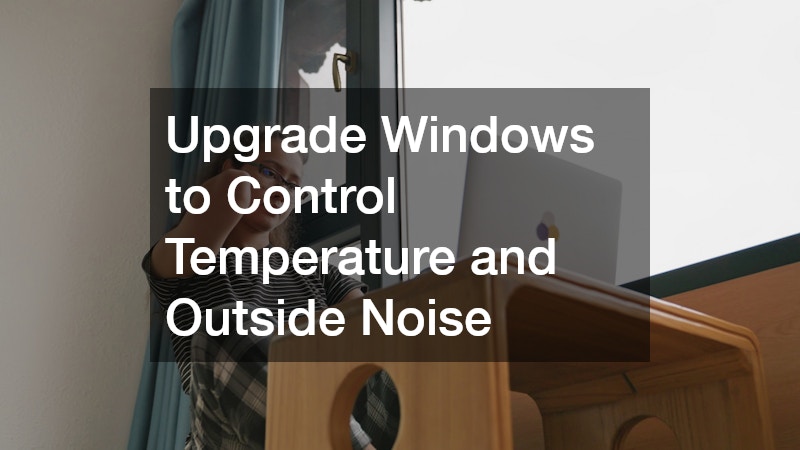
A drafty or single-pane window can undermine a writing space in two ways at once: it lets in outside noise, and it makes the room uncomfortably hot or cold depending on the season. Both problems create physical discomfort that translates directly into shorter, more interrupted writing sessions. If your writing room has an older window, this is often one of the highest-impact upgrades available.
Switching to dual pane window replacement adds an insulating air gap between two layers of glass, which noticeably cuts down on both street noise and temperature swings throughout the day. The upfront cost is higher than a single-pane repair, but the ongoing comfort and quiet often make it worthwhile for a room you use daily. Ask installers about low-E coatings as well, since they help block glare on your screen during bright afternoon hours.
- Request a noise reduction rating comparison between window options
- Ask about low-E glass to reduce screen glare without blocking natural light
- Confirm installation timelines if you rely on the room during the workweek
- Consider window film as a lower-cost interim option
Make Sure Your Lighting and Outlets Support Long Sessions
Good lighting is one of the most underrated factors in sustained writing, since dim or flickering light causes eye strain that makes you want to stop far sooner than you otherwise would. Overhead lighting alone is rarely enough; most writers do better with layered light from a desk lamp, ambient ceiling fixture, and natural daylight. If your current setup relies on extension cords running across the floor, it’s also a safety issue worth addressing.
For rooms that lack sufficient outlets or dedicated switches, licensed electrical contractors can add outlets near your desk, install dimmer switches, or wire in a ceiling fixture without the extension cord workarounds many home offices rely on. This is particularly useful if you’re setting up a dedicated writing room in a space that wasn’t originally built as an office, like a converted garage or attic. Proper wiring also reduces the fire risk that comes with overloaded power strips running multiple devices.
- Ask about adding a dedicated outlet near the desk for a monitor and lamp
- Request a dimmer switch for adjustable ambient lighting
- Have a licensed contractor inspect any extension cord setups you currently use
- Consider under-shelf lighting for reading physical reference material
Control Natural Light Without Losing It Entirely
Natural light boosts mood and alertness, but unfiltered sunlight streaming directly onto a screen creates glare that forces you to squint or constantly reposition your monitor. The goal isn’t to block windows completely, it’s to control when and how much light enters the room throughout the day. This becomes especially important for writers who work at the same desk from morning through evening as the sun angle shifts.
Custom blinds let you dial in exactly the right amount of light for a specific window shape or unusual room layout, which off-the-shelf options often can’t match precisely. Cordless and motorized versions also remove another cluttered cord from your workspace, tying back into the broader goal of a visually calm room. Look for light-filtering fabric if you want brightness without direct glare, versus blackout fabric for rooms that double as a space for afternoon video calls.
- Measure windows precisely, since even small gaps let in distracting light
- Choose light-filtering fabric for daytime brightness without screen glare
- Consider motorized options to eliminate additional cords near the window
- Match blind color to existing trim for a cohesive, uncluttered look
A distraction-free writing space isn’t built overnight, and you don’t need to tackle every upgrade at once to see a difference in your output. Start with whatever is causing the most friction right now, whether that’s a slow computer, a noisy room, or a desk that doesn’t fit your workflow, and address it before moving to the next item on this list. Small, deliberate changes to your physical environment compound over time, and most writers find their word count climbing simply because the excuses to stop have quietly disappeared.
